Multiple people per booking
When you want to register multiple people per booking, for example for the sake of accommodation, you need to use custom fields with dropdowns where they select how many people is being booking for that option. Just keep in mind that in this case you won't be able to collect information that is specific to each person included in the booking.
For example you could have a custom field for each type of room where you give them the option to indicate how many people they want to book into each type of room. Or, you could have custom fields where they select how many adults, how many kids, how many students, etc that the booking covers.
For each of the custom fields you set the list items like this:
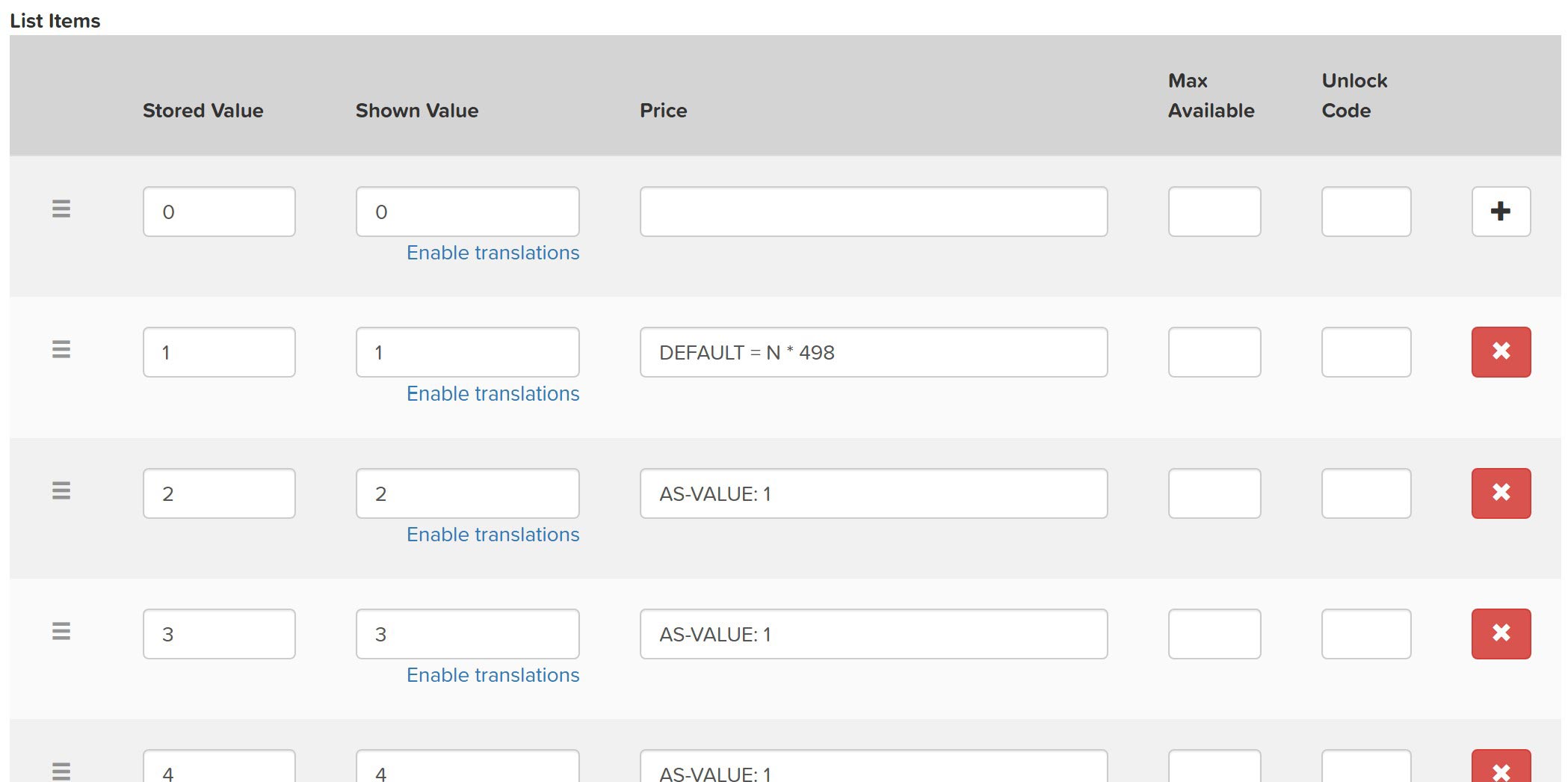
N * 498 being the price per night.
Also check the People count checkbox under the Special Options section.
If the number of people selected here should count towards the total number of people booked for this event select Use in participant count as well.
Setting capacity limits
In this case the Max Available field cannot be used (because it only limits how many people can select that particular option).
Instead you use Lodging Options and create an entry for each of the rooms, and link it to the custom field. Like this:
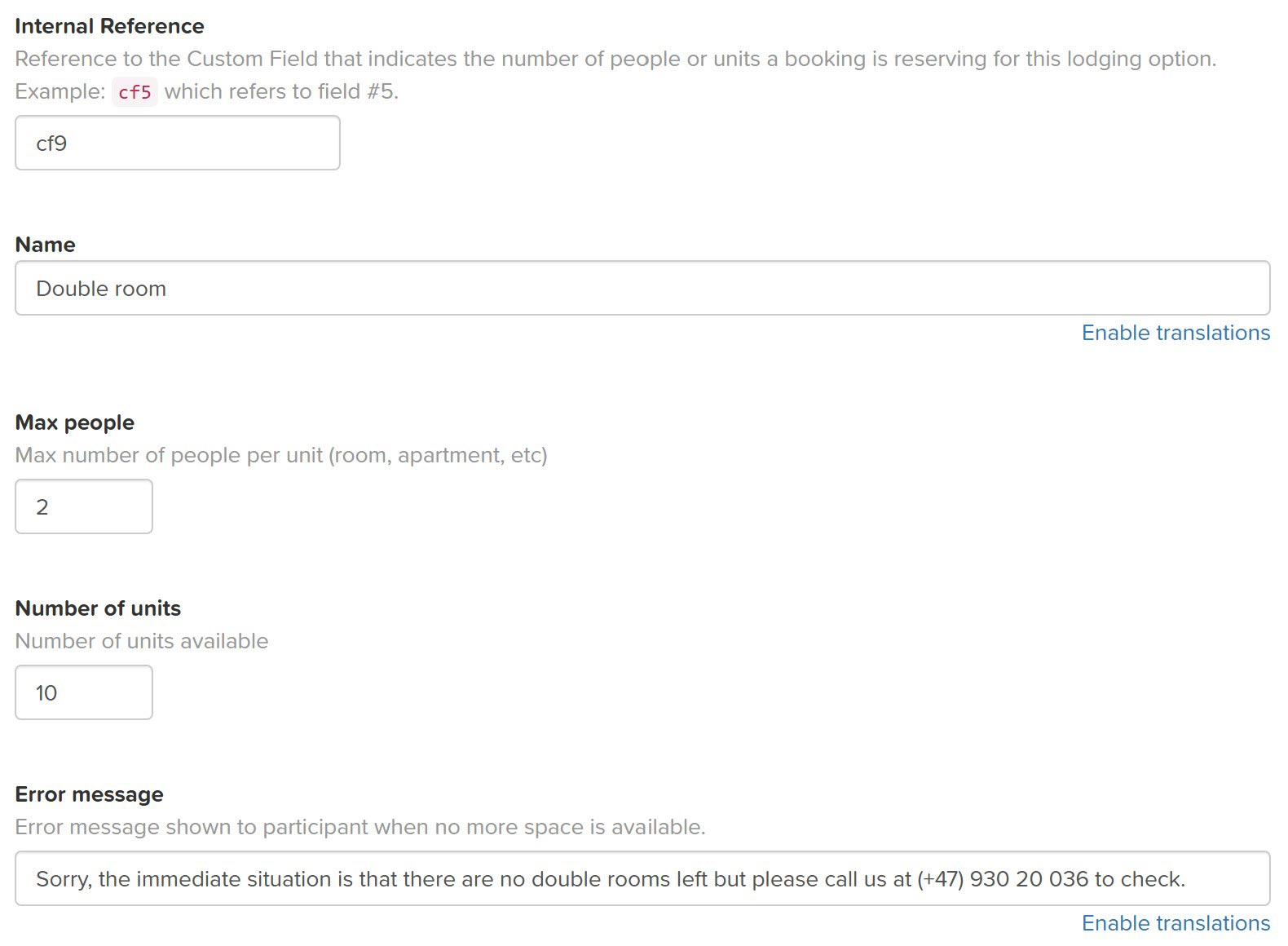
If you have a total limit of how many people can be booked you set the Max participants in Basic Event Settings > More Options.
You also need to set How should number of participants be counted? to Custom fields indicate number of participants in a booking.